

How to Fix Golf Cart Steering Issues: A DIY Guide
Table of Contents
- How to Fix Golf Cart Steering Issues: Diagnosis and Repair
- Why Your Golf Cart Hard to Steer: Common Causes
- Golf Cart Steering Wheel Loose: Inspection and Tightening
- Golf Cart Steering Wheel Not Straight: Alignment and Adjustment
- Golf Cart Steering Gear Box Problems: Inspection and Repair
- Tire Pressure and Wheel Alignment: Quick Checks That Matter
- Complete Steering Inspection Checklist
- When to Replace Steering Components
- Frequently Asked Questions
Last Updated: October 5, 2026
How to Fix Golf Cart Steering Issues: Diagnosis and Repair
Golf cart steering issues range from annoyances to safety hazards. A loose wheel, hard-to-turn wheel, or cart pulling to one side can ruin your ride. Most are fixable with basic tools and patience.
This guide covers worn tie rods, misaligned wheels, and loose steering gear boxes.
Steering issues typically stem from mechanical wear, improper adjustment, or tire problems. A systematic inspection catches the real problem before you waste time on unnecessary repairs.
Safety First: When to Stop and Call a Professional
Stop work immediately if you notice these warning signs:
- Sudden complete steering failure, the wheel spins freely with no resistance
- Steering wheel locks up mid-turn, the wheel becomes immobile while driving
- Severe clunking from the front end, loud metallic noise with every bump
- Cart pulls violently to one side, you cannot control direction safely
- Brake and steering both fail, dual system failure means safety systems are compromised
These conditions require professional service. Stop using the cart until a technician inspects the steering column, tie rod ends, and ball joints.
For routine maintenance and minor adjustments, DIY work is safe. Use jack stands rated for your cart's weight, never work under a cart supported only by a jack, and secure it with wheel chocks.
Why Your Golf Cart Hard to Steer: Common Causes
Low tire pressure is the most common culprit. Underinflated tires increase rolling resistance and make steering heavier. Check pressure first.
Steering gear box problems occur when internal components wear or the adjustment screw tightens too much.
Worn tie rod ends and ball joints create binding at the front suspension. As these components wear, they develop play.
Lack of lubrication also causes hard steering. The steering linkage needs grease at connection points. Dry joints create friction and resistance.
Less common causes include bent steering components from impact, misaligned front wheels creating drag, and seized wheel bearings.
Golf Cart Steering Wheel Loose: Inspection and Tightening
A loose steering wheel is one of the easiest problems to fix. Start by checking the attachment point at the column.
Check for play. Grab the wheel rim with both hands and try to move it side to side and up and down.
Inspect the shaft. Check where it meets the wheel for cracks, bending, or damage. A damaged shaft must be replaced; tightening won't fix structural failure.
Step-by-Step Tightening Process
Step 1: Disconnect the battery (5 minutes)
Disconnect the negative terminal to prevent accidental horn activation or electrical issues.
Step 2: Locate the steering wheel nut (2 minutes)
The retaining nut sits at the center of the wheel.
Step 3: Use the correct wrench size (1 minute)
Most golf carts use a 1.5-inch or 1.625-inch socket. Check your manual for the exact size; the wrong size can strip the nut.
Step 4: Tighten gradually (3 minutes)
Turn the wrench clockwise one quarter turn, then test for play. Repeat in quarter-turn increments until snug.
Step 5: Verify the fix (2 minutes)
Reconnect the battery, start the cart, and turn the wheel fully left and right.
Total time: 13 minutes
If tightening doesn't eliminate play, the steering shaft itself may be worn. Shaft replacement requires removing the steering column.
Golf Cart Steering Wheel Not Straight: Alignment and Adjustment
A steering wheel that sits off-center when driving straight indicates a toe alignment problem.
Toe alignment measures whether the front wheels point inward (toe-in) or outward (toe-out).
Check alignment at home. Find a flat, open parking lot. Drive straight without turning.
Temporary adjustment method: Loosen the tie rod end lock nuts slightly.
After adjusting, tighten the lock nuts firmly. Test the cart again. Repeat adjustments until the wheel sits centered when driving straight.
Professional alignment is more accurate. A shop uses an alignment rack to measure wheel angles precisely. For casual use, home adjustment usually suffices.
Golf Cart Steering Gear Box Problems: Inspection and Repair
The steering gear box converts the steering wheel's rotational motion into linear motion that turns the front wheels. Inside, a pinion gear meshes with a sector gear; wear or misalignment causes steering problems.
Common gear box symptoms:
- Steering wheel feels loose or has excessive play
- Hard steering that gets worse over time
- Clunking noise from the steering column area
- Steering response is delayed or jerky
- Cart pulls to one side despite proper alignment
Checking Tie Rods and Ball Joints
Tie rods connect the steering gear box to the front wheels. Ball joints allow the suspension to move while maintaining steering control.
E-Z-GO Rack / Rod Assembly (Years 1971-1994) →
Inspect tie rod ends. Lift the front of the cart on jack stands. Grab the front wheel at the 3 and 9 o'clock positions.
Check ball joints. Grab the wheel at the 12 and 6 o'clock positions. Try to move it up and down. Movement here signals worn ball joints.
Inspect for grease leaks. Look at the rubber boots covering tie rod ends and ball joints.
Worn tie rod ends and ball joints must be replaced; tightening does not restore function. Golf Cart Geeks carries replacement tie rod assemblies for most models, including the E-Z-GO Rack / Rod Assembly (Years 1971-1994), which restores steering precision and stability for classic EZGO carts.
Adjusting the Steering Gear Box
The steering gear box contains an adjustment screw that controls the mesh between the pinion and sector gears.
Locate the adjustment screw. It sits on top of the gear box housing, typically with a lock nut.
Test the steering. Turn the wheel fully left and right. It should rotate smoothly without binding or excessive play.
Tighten the lock nut. Once proper adjustment is achieved, hold the adjustment screw steady and tighten the lock nut firmly.
Caution: Over-tightening the adjustment screw causes binding and hard steering.
If adjustment does not resolve the problem, internal gear box wear is likely.
| Steering Issue | Likely Cause | Inspection Method | Difficulty |
|---|---|---|---|
| Loose steering wheel | Retaining nut loose | Check for play at rim | Easy |
| Hard steering | Low tire pressure or worn gear box | Check tire pressure first | Easy |
| Wheel not centered | Toe misalignment | Drive straight and observe | Easy |
| Clunking noise | Worn tie rod ends or ball joints | Lift cart and check movement | Medium |
| Steering pulls to one side | Alignment or tire pressure | Check both and adjust | Medium |
Tire Pressure and Wheel Alignment: Quick Checks That Matter
Tire pressure affects steering more than many owners realize.
Check pressure monthly. Most golf carts run 18-20 PSI front and rear, but consult your manual for exact specs.
Uneven tire pressure creates pulling. If the left tire runs 2 PSI lower than the right, the cart pulls left. The underinflated tire has more rolling resistance.
Inspect tires for wear. Uneven wear patterns indicate alignment or suspension problems.
Wheel alignment checks are simple. Drive the cart on a flat, level surface without turning. The steering wheel should sit centered.
For resorts and fleet operations, regular alignment checks prevent safety issues and extend tire life. A study on tire maintenance practices found that proper alignment and pressure reduce tire wear by up to 25 percent and improve vehicle safety.
Complete Steering Inspection Checklist
A systematic inspection catches problems before they become dangerous. Use this checklist to diagnose steering issues on your golf cart.
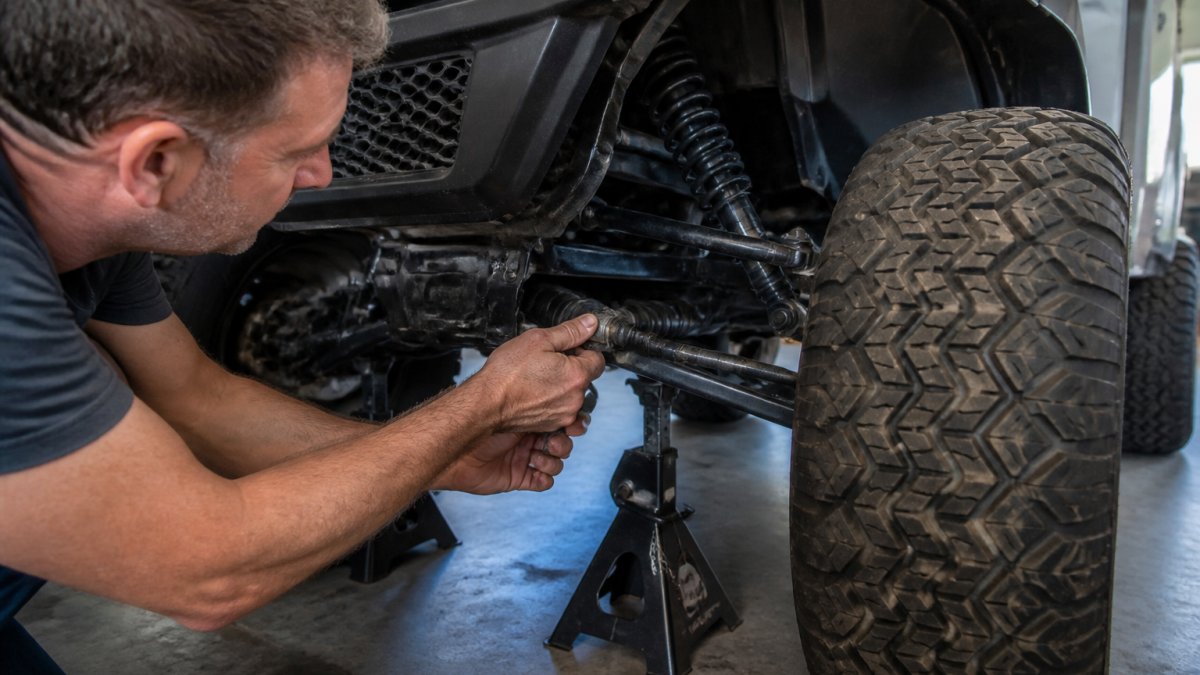
Before you start: Park on level ground. Disconnect the battery. Lift the front of the cart on jack stands. Secure with wheel chocks.
Steering wheel and column:
- Grab the wheel rim and check for side-to-side play
- Check the retaining nut at the wheel center, is it tight?
- Inspect the steering shaft for cracks or bending
- Look for loose bolts where the steering column attaches to the frame
Steering gear box:
- Locate the gear box under the cart near the front axle
- Check for grease leaks or dirt accumulation
- Feel for play in the steering linkage by gently moving the tie rods
Tie rods and ball joints:
- Grab each front wheel at the 3 and 9 o'clock positions
- Try to move the wheel side to side, note any movement
- Inspect rubber boots on tie rod ends for tears or missing sections
- Check ball joint boots the same way
- Look for grease splatter indicating recent wear
Front suspension:
- Inspect A-arm bolts for tightness (use a wrench to check)
- Look for bent or cracked A-arms
- Check kingpins and bushings for play, push up and down on the wheel
- Listen for creaking or clunking when you move the wheel
Wheels and tires:
- Check tire pressure on all four tires
- Inspect tire tread for uneven wear patterns
- Look for bulges, cracks, or foreign objects in the tires
- Spin each wheel by hand, it should rotate freely without binding
Alignment check:
- Lower the cart to the ground
- Drive straight on a flat surface without turning
- Note whether the steering wheel points straight ahead
- Note whether the cart drifts left or right
This checklist takes 20-30 minutes and identifies most steering problems. Document your findings and photograph any damage or wear; this record helps when ordering parts or discussing repairs with a technician.
When to Replace Steering Components
Some steering components cannot be repaired, only replaced. Knowing when replacement is necessary saves time and money.
Replace steering wheel if: The rim is cracked, the horn pad is damaged, or the spokes are bent.
Replace the steering shaft if: It is bent, cracked, or stripped where the wheel attaches.
For EZGO and Yamaha models, Golf Cart Geeks stocks replacement components. The Yamaha Kingpin / Bushing Kit (Models G2-G20) restores front-end stability and steering response for Yamaha carts. The E-Z-GO RXV A-arm Bolt (Years 2008-Up) provides secure suspension mounting for newer EZGO models.

Replacement is straightforward for most components. Tie rod ends and bolts require only basic hand tools.
Steering issues don't have to sideline your golf cart. Most problems are fixable with systematic diagnosis and the right parts.
Frequently Asked Questions
Why is my golf cart hard to steer?
Hard steering usually stems from low tire pressure, misaligned wheels, worn tie rod ends, or a tight steering gear box. Start by checking both front tire pressures, they should match the manufacturer's specification. Next, inspect your tie rods and ball joints for wear or damage. If those are fine, the steering gear box adjustment screw may be too tight. Loosen it slightly and test. Wheel alignment issues also cause resistance; if your cart pulls to one side or feels stiff, alignment is likely the culprit.
What causes excessive play in a golf cart steering wheel?
Excessive steering wheel play typically results from worn tie rod ends, loose steering gear box components, or worn ball joints in the front suspension. The steering linkage may also have loose connections. To diagnose, lift the front end safely on jack stands and grab the steering wheel, if it moves more than 1-2 inches before the wheels respond, you have play. Check each tie rod end by hand; if it moves or feels loose, it needs replacement. Tighten the steering gear box adjustment screw incrementally, checking play after each quarter-turn.
How can I tell if my golf cart steering coupler is bad?
A bad steering coupler often causes a clunking noise when you turn the wheel or hit a bump, or the steering wheel may feel disconnected from the front wheels. You might also notice excessive play or a grinding sensation. To check, locate the coupler under the steering column where it connects the steering shaft to the gear box. Look for cracks, looseness, or damage. Grab both sides of the coupler and try to move them relative to each other; any movement indicates failure. If damaged, the coupler must be replaced, it cannot be adjusted.
When should I stop driving and call a professional for golf cart steering problems?
Stop driving immediately if you experience complete loss of steering control, a steering wheel that spins freely without turning the wheels, severe clunking noises accompanied by steering failure, or visible damage to the steering column or gear box. If your cart pulls hard to one side despite tire pressure checks, or if you discover bent steering components, professional repair is safer. Also stop if the steering gear box leaks fluid or if any steering adjustment causes the wheel to lock. Safety is non-negotiable; when in doubt, have a professional inspect it.